
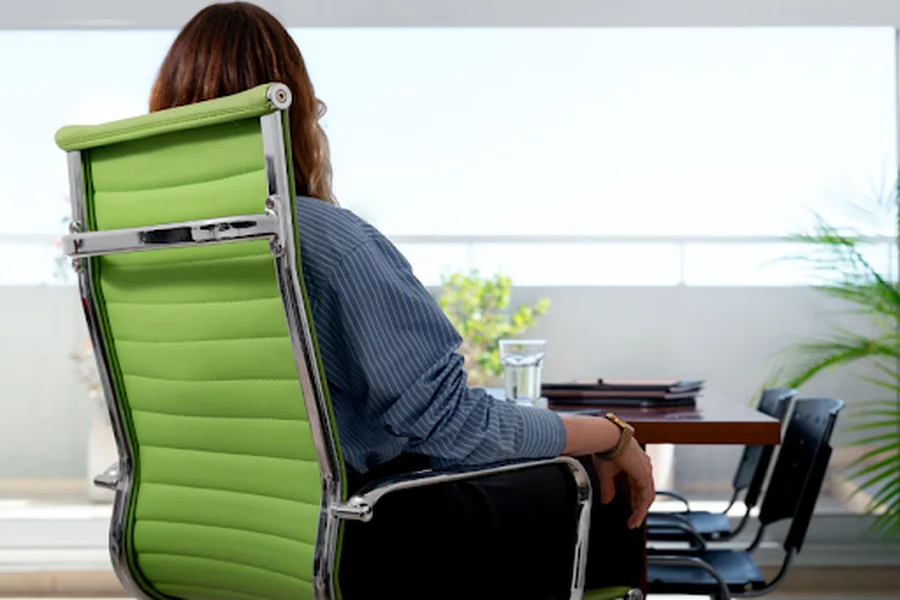
Spending most of the day at a desk can put a lot of pressure on your sitting habits. Whether you work remotely, study, manage a business or spend several hours gaming, the chair you use can influence how comfortably you sit throughout the day. A suitable chair for posture should provide adequate back support, allow useful adjustments and fit your body properly. It should also work with your desk rather than force you to lean forward or sit in an awkward position. A Razer chair for posture is one option worth exploring when comparing chairs designed for better sitting comfort.
Singapore has a range of furniture brands specialising in ergonomic office seating, gaming chairs and complete workspace solutions. Some focus on advanced adjustment systems, while others offer more affordable options for everyday use. Here are ten brands worth comparing when looking for a chair that supports a more comfortable desk setup.
1. Razer
One of its notable models is the Razer Iskur, which has been designed with integrated lumbar support. Unlike chairs that rely entirely on a separate cushion, the Iskur’s lumbar system is built into the backrest and can be adjusted to suit the user’s sitting position. Other features vary across the range, so it is worth comparing individual models before buying. Those looking for a Razer chair for posture designed to support your back during long gaming sessions can review the available models and their features to find one that meets their comfort and support needs.
A gaming chair is not automatically suitable for everyone simply because it includes ergonomic features. Seat depth, lumbar positioning and overall fit still matter. Those interested in the brand can explore the Razer chair for posture and its available ergonomic features to see which model may suit their workspace.
2. Comfort Design
A suitable office chair should allow users to adjust the seat height and maintain comfortable contact with the backrest. Lumbar support, armrest positioning and seat dimensions are also important, particularly for people who work at a desk for several hours each day.
If you are considering Comfort Design, check its current chair selection and the specifications of individual models. Where showroom testing is available, try sitting in the chair for a few minutes and assess whether the backrest and seat feel appropriate for your body. Product availability and showroom details should be confirmed directly with the retailer.
3. ErgoTune
The brand’s chairs offer adjustment options that may include lumbar support, armrests, seat depth and headrest positioning, depending on the model. These features can help users find a sitting position that feels more natural instead of relying on a fixed chair design.
One reason to consider ErgoTune is its focus on everyday office use rather than gaming aesthetics. However, the number of adjustments should not be the only deciding factor. A chair needs to fit your body, provide comfortable back support and allow you to sit with your feet properly supported.
4. Secretlab
Secretlab is a Singapore-founded brand known internationally for its premium gaming chairs. Although its products are designed with gaming in mind, they are also used by people who work, study and spend extended periods at a computer.
Its products are generally positioned in the premium segment, so buyers should compare the specifications and price carefully. It is also important to check the chair’s size options, as a model that suits one person may not fit another equally well.
5. HÅG
HÅG is a Norwegian office seating brand known for designs that encourage movement while sitting. Rather than relying entirely on a conventional fixed sitting position, its chairs are developed to support changes in posture throughout the working day.
The HÅG Capisco is one of the brand’s most recognisable models. Its distinctive saddle-style seat and backrest allow users to sit in different positions, including facing forwards or sitting more actively. This design may appeal to people who prefer flexibility instead of a traditional office chair.
6. Steelcase
The Steelcase Leap is a well-known example. Its design includes a flexible backrest that moves with the user, along with adjustments intended to support the back and maintain comfort across different sitting positions. This can be useful for people who frequently change their posture while working.
Steelcase is worth comparing if you spend a large part of the day at a computer and want a chair designed specifically for office use. As with other premium brands, check the available configurations, warranty and dimensions. Trying a chair in person can also help you decide whether its backrest and seat feel comfortable.
7. Herman Miller
Herman Miller is one of the best-known names in ergonomic office seating. The brand’s chairs are used in professional workplaces and home offices, with designs that place considerable emphasis on support, movement and long-term use.
Other models in the Herman Miller range offer different approaches to ergonomic support. The best choice depends on your body dimensions, preferred sitting position and budget. These chairs generally cost more than basic office seating, so it is worth comparing the available features before making a decision.
8. IKEA
Models such as the MARKUS and JÄRVFJÄLLET have been popular options among people setting up home workstations. Depending on the model, features may include adjustable seat height, a high backrest, lumbar support and reclining functions. These provide a useful starting point for buyers who want more than a basic dining-style chair.
IKEA also offers desks, monitor stands and other workspace accessories, making it convenient to furnish an entire study area. However, not every chair will suit every body type. Check the dimensions and adjustment range, and try the chair if possible before purchasing.

9. Xtreme Gaming
When considering a chair from this category, pay attention to its lumbar support, seat height, armrest adjustments and reclining mechanism. These features can affect how comfortably you sit during long gaming sessions or computer-based work.
It is also worth distinguishing between a chair that looks ergonomic and one that offers useful adjustments. A removable lumbar cushion, for example, may not provide the same level of positioning control as an integrated adjustable support system. Check the product specifications and current availability before buying.
10. Omnidesk
A chair cannot provide proper support on its own if the desk is positioned incorrectly. If the desk is too high, you may end up raising your shoulders while typing. If it is too low, you may lean forward or bend your neck to view the screen. A height-adjustable desk makes it easier to change the working position and find a more suitable arrangement.
Omnidesk is worth exploring if you are upgrading your entire home office rather than replacing a chair alone. Pairing a suitable chair with a properly adjusted desk and monitor can make the workspace more comfortable and practical.
Finding a Chair That Works for Your Body
Razer and Secretlab are worth exploring if you prefer gaming-focused seating, while ErgoTune, HÅG, Steelcase and Herman Miller offer options with a stronger emphasis on ergonomic office use. IKEA provides alternatives at more accessible price points, while Omnidesk can help when planning a complete workstation.
Before buying, compare seat dimensions, lumbar support, armrest adjustments, materials and warranty coverage. If possible, test the chair in person and check how it feels at your usual desk height. Remember that even a well-designed chair is only one part of a comfortable workspace. Adjusting your monitor, positioning your keyboard correctly and taking regular movement breaks all contribute to better sitting habits.